Convert PDF Documents to Custom QR Codes
Share digital restaurant menus, product brochures, user manuals, eBooks, and real estate flyers instantly with high-speed smartphone QR scanning.
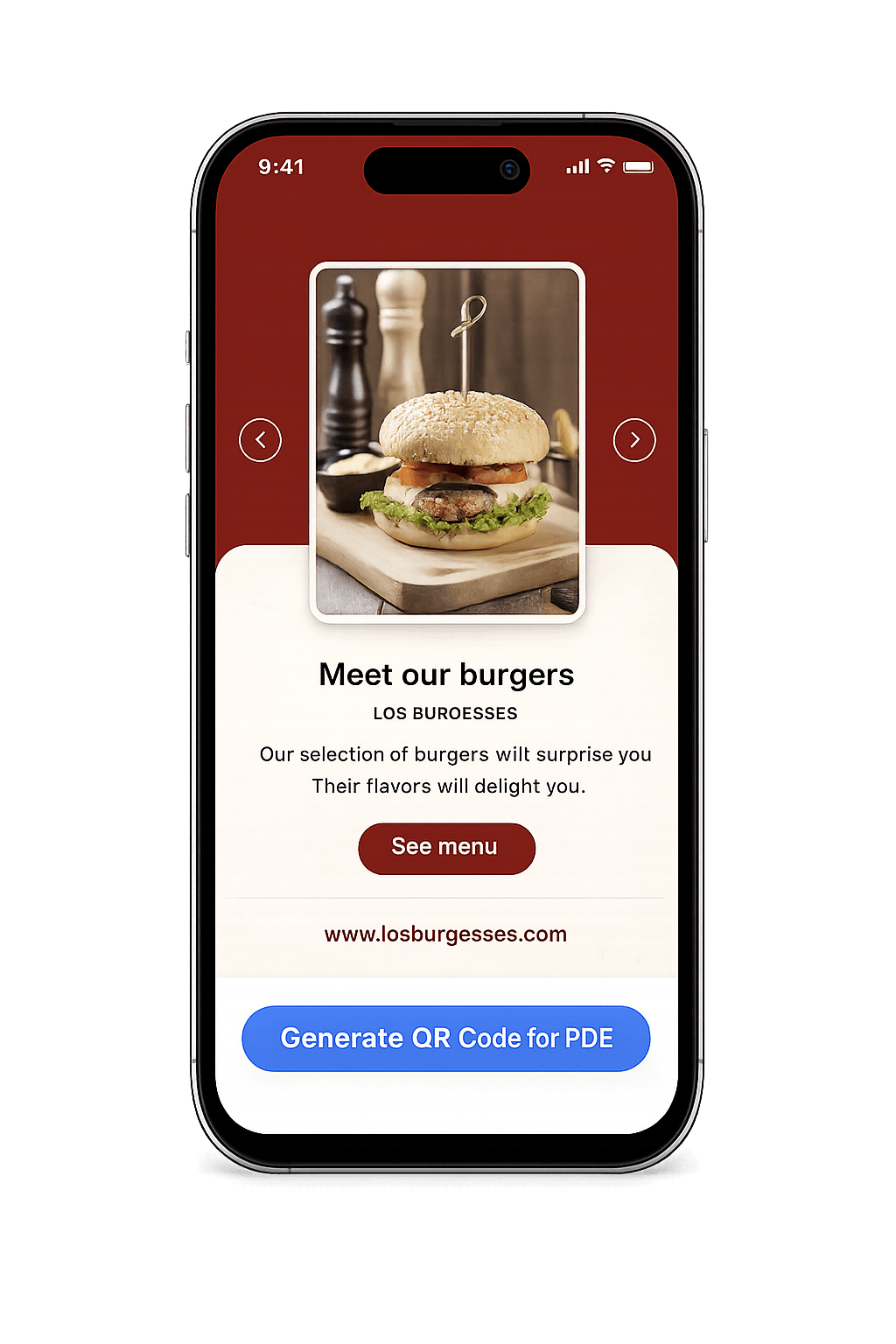
Instant Document View via Smartphone Scan
Provide customers, clients, and event guests immediate access to your PDF documents without forcing manual file downloads, email attachments, or app installations.
-
Native Browser Display: Opens PDFs directly inside Safari, Chrome, or any mobile browser seamlessly.
-
Zero Expiration & High Reliability: Codes work 24/7 with zero scan throttling or hidden fees.
-
Editable Target File (Dynamic): Swap or update your PDF document anytime without reprinting physical collateral.
-
High-Resolution Vector Export: Download razor-sharp SVG or 300 DPI PNG files ready for offset press printing.
How PDF to QR Code Generation Works
Bridge your physical marketing materials directly to cloud-hosted PDF documents in three easy steps.
1. Link or Upload PDF
Enter the direct web URL of your hosted PDF (Google Drive, Dropbox, AWS, or website link) or upload your PDF file directly.
2. Customize Brand Styling
Apply brand colors, adjust dot and corner shapes, embed your business logo, and add a custom "Scan to Read PDF" call-to-action frame.
3. Scan & View Instantly
When users point their smartphone camera at the QR code, their phone opens and renders the PDF file instantly in their web browser.
How to Create a PDF QR Code Step by Step
Follow this 4-step walkthrough to generate your custom PDF QR code in under 60 seconds.
Select "PDF" QR Option
Open the MyQRcodeBuilder studio and click on the PDF to QR Code generator tab from the menu.
Enter PDF Link or File
Paste the direct URL to your hosted PDF file or upload your document. Ensure link permissions are set to public view.
Personalize Design
Choose custom brand hex colors, upload your organization's logo, and pick an eye-catching call-to-action border frame.
Download & Print
Test your QR code with your phone camera, then download high-resolution PNG or vector SVG files for printing on flyers, menus, or posters.
Popular Applications for PDF QR Codes
Deliver rich document experiences across restaurants, retail, real estate, and education.
Digital Restaurant Menus
Place QR codes on dining tables so customers can view food & wine menus instantly on their phones.
Product Catalogs & Brochures
Include QR codes in trade show displays and print packages to share full multi-page product catalogs.
User Manuals & Assembly Guides
Print QR codes on product boxes linking to step-by-step instruction manuals and setup guides.
Real Estate Listing Packets
Add QR codes to "For Sale" yard signs linking home buyers to property specs, floor plans, and seller disclaimers.
Academic Syllabi & Handouts
Share lecture slides, research papers, and course syllabi with students during classroom lectures.
Event Agendas & Guides
Provide conference attendees with digital event schedules, speaker bios, and venue maps.
Why Use MyQRcodeBuilder for PDF QR Codes
Designed for fast mobile rendering, high print fidelity, and full brand customization.
Instant Mobile Rendering
Optimized redirect routing ensures PDF documents render cleanly on iOS, Android, and tablets.
Vector SVG Printing Quality
Download scalable vector SVG files that maintain pin-sharp contrast on large banners and posters.
100% Free & Ad-Free
Generate clean, professional PDF QR codes without intrusive ads or forced watermarks.
Dynamic File Updates
Upgrade to Dynamic QR codes to swap or edit the underlying PDF document URL anytime without reprinting.
Real-Time Scan Analytics
Track scan volume, peak scan times, geographical location maps, and visitor device operating systems.
Privacy & Security Safe
Enterprise-grade SSL link routing ensures your document links stay safe, encrypted, and accessible.
Static PDF QR vs. Dynamic PDF QR
Choose the right PDF QR code type based on your document update requirements.
| Feature | Static PDF QR | Dynamic PDF QR |
|---|---|---|
| Cost | ✓ 100% Free Forever | Premium Plan |
| Update PDF File After Printing | ✗ No (Fixed URL) | ✓ Yes, Anytime |
| Scan Volume Limit | ✓ Unlimited Scans | Unlimited Scans |
| Real-Time Analytics & Location | ✗ Not Included | ✓ Full Metrics & Geo Maps |
| Custom Logo & Color Branding | ✓ Supported | ✓ Supported |
| Vector SVG & PNG Export | ✓ Included | ✓ Included |
PDF QR Code FAQs
Everything you need to know about creating and deploying PDF QR codes.
Create Your PDF QR Code Now
No credit card required. Customize brand colors, add your company logo, and download print-ready vector QR codes in seconds.
Generate Free PDF QR Code